


Food Recalls & Alerts
4.4692.00 Reviews
App Specs
- Version
- 3.9.1
- Updated On
- License
- Free
- Downloads
- 50,000+
- Developer
- SmartAddress, Inc.
- Categories
- Food & Drink
- Platform
- Android
Screenshots
 Analysis by AppCompare
Food safety is easy to ignore until a product in your kitchen becomes part of a recall. Food Recalls & Alerts takes a focused approach to that problem: it is a food and drink app built around recall and alert information, rather than recipes, grocery delivery, or nutrition tracking. After using it, I see its main value as a second pair of eyes for people who buy packaged food regularly and do not want to depend entirely on memory or occasional news reports.
The app is free to install, is suitable for everyone, and comes from SmartAddress, Inc. Its store summary uses very strong language about contaminated food, but I found the practical benefit more measured and more useful: it can make recall awareness part of a normal household routine. That distinction matters. It is not a replacement for checking packaging, following official instructions, or using common sense with food that looks or smells wrong. It is a convenient way to keep this particular risk closer to your attention.
Turning recall awareness into a usable habit
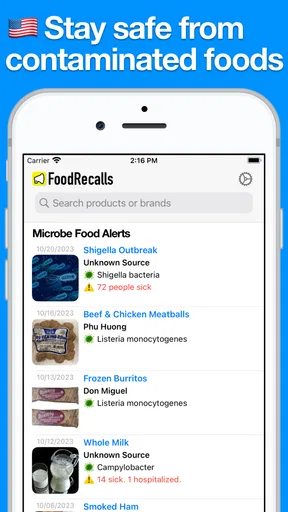
The central capability is simple to understand: the app is designed to surface food recall alerts so you can react before a questionable item is eaten. That sounds narrow, yet the narrow focus is exactly what gives it a clear purpose. Many food apps ask me to search for meals, compare nutrition, build shopping lists, or find restaurants. This one addresses a less entertaining but more important question: should I still keep this packaged food?
That question is especially relevant when a household buys a mixture of canned goods, frozen products, snacks, baby food, supplements, or other packaged items. I may remember where I bought something without remembering its lot information, brand variation, or when it entered the cupboard. A recall alert gives me a reason to inspect those details instead of assuming that every item from a familiar brand is automatically safe.
I also appreciate that the app does not need to be used constantly to be worthwhile. Its role is closer to a safety check than a destination app. I would not open it for entertainment or browse it while planning dinner. I would use it when I hear about a possible issue, after a large grocery trip, before serving food to someone vulnerable, or when cleaning out a pantry and finding an item I had forgotten about.
That limited purpose is both its strength and its boundary. If you want meal planning, ingredient analysis, restaurant discovery, or a complete household inventory, this is not the right tool by itself. Its usefulness depends on whether recall awareness is a problem you genuinely want to solve. For me, that makes the app easier to judge: it succeeds when it helps me notice and investigate a food safety concern, not when it tries to become an all-purpose food assistant.
What the focus changes in everyday use
In ordinary life, recall information is often scattered. A notice may appear in a news feed, a message from a retailer, a social post, or a conversation with a friend. Those sources can make an issue feel urgent, but they are not always convenient when I am standing in front of my pantry. Keeping a dedicated recall app available gives me a more direct place to begin checking.
Worth Reading Before You Choose

EA SPORTS FC Mobile 26 Is a Bigger Football Game, but It Takes Time

Flipboard Shows What News Apps Must Do Beyond the Feed

Switching to Android Auto Means Rethinking Your Driving Routine

Google Calendar Makes a Crowded Week Easier to Manage

Ludo King Makes the Most of the Minutes Between Plans

Baby Panda World Brings Quick Play to Modern Phones, but Its Game Library Feels Busy
My advice is to treat each alert as a prompt for verification, not as permission to throw away everything with a similar brand name. Food recalls can depend on product identity and packaging details. When I see a relevant notice, I would compare the product name, size, identifying information, and any other details shown in the notice with the item in my home. If they do not match, I would avoid making a decision based only on the brand.
This is one of the less obvious benefits of a focused app: it encourages a repeatable process. Instead of vaguely remembering that “something was recalled,” I can pause, identify the item, and decide what action makes sense. That is more valuable than simply seeing a dramatic warning and moving on.
How I would use it in practice
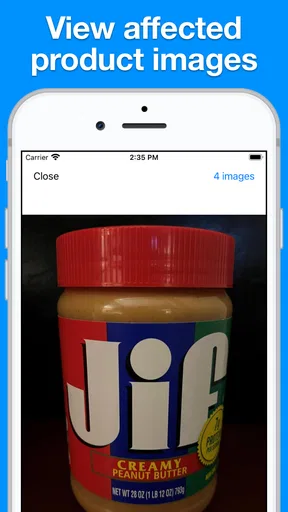
The most realistic workflow begins with a notification or a reason to check. I would open Food Recalls & Alerts, read the notice carefully, and then walk to the cupboard, refrigerator, or freezer with the physical product in hand. The important work happens in that comparison. The app can bring the information to me, but I still need to inspect the package and follow the instructions attached to the recall.
For a household, I would make the check part of a larger routine. After returning from a substantial grocery trip, I might keep receipts and packaging together until the food is put away. If an alert later appears, that small habit makes it easier to identify where an item came from. I would also avoid relying on memory for products that sit unused for months. A pantry clean-out is a good moment to check older packaged foods and discard anything that is expired, damaged, or difficult to identify.
There is another practical trade-off here. A recall app is most useful when I allow it to interrupt me at the right time, but alerts can also become background noise if I treat every one as equally relevant. I would read the details rather than reacting to the headline alone. If the app presents a broad stream of notices, I would use the product information to narrow my attention to items I actually buy or have at home.
For families, I would explain the workflow to everyone who handles groceries. One person may receive the alert while another person prepares meals. A short household rule helps: if an alert appears to match something in the kitchen, set the item aside, do not serve it, and check the notice before deciding what to do next. That is a more reliable use of the app than expecting one person to remember every alert indefinitely.
A concrete kitchen example
Imagine I return from shopping with several packaged foods and put most of them away without recording every detail. A few days later, I notice an alert connected to a product category I purchased. I would not assume that the entire category is unsafe, and I would not rely on a quick glance at the front label. I would take the item out, inspect the identifying information, and compare it with the alert.
If it matches, the sensible next step is to follow the recall guidance rather than tasting the product or trying to judge safety by appearance. If it does not match, I would keep the notice in context and continue checking the rest of the relevant items. This is where the app has a real effect: it changes a vague concern into a specific inspection task.
The same workflow matters even more when a child, an older adult, or someone with a serious allergy or weakened immune system will be eating. I would use the app as an extra checkpoint before serving food, while remembering that recall coverage cannot identify every possible food problem. Safe storage, clean preparation, expiration awareness, and attention to allergies still matter.
The best scenario for this app
Food Recalls & Alerts makes the most sense for someone who buys packaged food and wants a dedicated way to stay aware of safety notices. I think it is particularly suitable for busy households, caregivers, people who shop in bulk, and anyone who has experienced the frustration of hearing about a recall after the questionable item was already consumed.
It can also help people who move between stores or shop for relatives. A product may enter the home through a different person, making it harder to track informally. In that situation, a shared habit of checking alerts can reduce dependence on one shopper’s memory. The app does not solve the organization problem completely, but it gives the household a clear place to begin.
Another useful scenario is travel or temporary living arrangements. When I am staying somewhere with a pantry I did not stock myself, I know less about how long products have been there. A recall-focused app can support a quick review before using unfamiliar packaged items. I would still inspect seals, dates, storage conditions, and labels, but the alert check adds a layer that visual inspection cannot provide.
People who rarely buy packaged food may gain less. If most of my meals come from fresh ingredients and I already follow official food safety notices through another dependable source, installing another alert tool may feel unnecessary. The app is also not a substitute for local guidance during a food safety emergency, nor does it turn uncertain information into certainty.
Where it differs from usual alternatives
The usual alternatives are general news apps, retailer messages, search engines, social media, and official food safety websites. Those sources can be valuable, especially when I need detailed instructions or want to confirm the original notice. Their weakness is convenience: I may not see a relevant update among unrelated headlines, or I may search only after hearing a rumor.
A dedicated recall app is more focused than a news feed and less dependent on remembering the right search phrase. That focus is its main advantage. On the other hand, a general source may provide broader context, regional guidance, or a fuller explanation of what consumers should do. I would not choose between them as if only one could be trusted. I would use Food Recalls & Alerts for awareness and use authoritative instructions for the final decision.
It also differs from barcode-based pantry apps and shopping-list tools. Those can help me track what I own, but inventory alone does not tell me that a product has become the subject of a safety notice. Conversely, a recall app may not replace a detailed inventory system. If I want to know exactly how many cans are in my cupboard or when I bought each one, a dedicated pantry organizer may be better. The two approaches address different gaps.
Trade-offs, friction, and sensible limits
The first limitation is that an alert is only useful if I notice it and understand it. No app can guarantee that I will read every message at the right moment. I would avoid treating a notification as a complete safety inspection. The product still needs to be matched carefully, and the instructions need to be followed precisely.
The second limitation is emotional rather than technical. Strong wording around contaminated food can make every notice feel alarming. I found it more helpful to slow down and separate the seriousness of a recall from the question of whether my specific item is involved. That extra step prevents unnecessary panic and reduces waste from discarding unrelated products.
There is also a cost consideration. The app is free, while in-app purchases range from around four dollars to around one hundred dollars per item. I would not pay for anything without first understanding exactly what it adds to my routine. For a casual user, the free starting point may be enough to decide whether the app actually improves recall awareness. For a household that depends heavily on the service, it is worth reviewing any purchase screen carefully rather than assuming every feature is essential.
Because this is a safety-oriented app, I would also keep expectations realistic about coverage and timing. I would not use it as the sole authority during a developing incident. If an alert concerns something I have eaten and I feel unwell, the appropriate response is medical or public-health guidance, not simply checking the app again. Likewise, the app cannot assess food that was mishandled at home, left unrefrigerated, cross-contaminated, or prepared with an undeclared allergen.
These limits do not make the app pointless; they define the correct role. Its best contribution is helping me notice recall information and act on a specific product concern. It is weaker as a complete food safety system, a medical resource, or a replacement for careful kitchen habits.
Small habits that make it more useful
- Keep the package until the food is fully put away. The identifying details are more useful than a vague memory of the product name.
- Set aside a questionable item instead of throwing it away immediately. That gives me time to compare the notice accurately and follow the proper disposal or return guidance.
- Check shared cupboards before serving guests. This is especially sensible when several people shop for the same household.
- Use alerts as prompts for inspection, not as a substitute for inspection. The physical product and the notice need to agree before I draw a conclusion.
Those habits are not flashy features, but they are where the app becomes genuinely useful. A recall notice that stays unread is just information. A notice connected to a deliberate kitchen check can prevent a mistake.
Who gains the most from the focused approach
I would recommend Food Recalls & Alerts first to people who want a simple, dedicated reminder system for packaged-food safety. Its audience includes families, caregivers, bulk shoppers, and anyone who has trouble keeping up with scattered recall announcements. The app’s Everyone age rating also makes it easy to consider for a shared household, although adults should still guide younger users through what an alert means and what action is safe.
Its reception suggests that the concept has found an audience: it holds a 4.4 average from around 2.3 thousand ratings and has passed 50 thousand installs. I would read those figures as signs of practical interest, not as proof that it will fit every kitchen. The number of ratings does not tell me whether the alert style, timing, or level of detail matches my personal needs.
The current version is 3.9.1, and the app supports Android 7.0 and later. That makes it accessible to people using older Android devices, which is useful for households that do not replace phones frequently. I would still check that my device behaves properly after installation and keep the app updated when updates are available, particularly because an alert tool is less valuable if I rarely open it or its notifications are easy to miss.
iPhone users should approach the app through the version available for their device rather than assuming that the Android experience is identical. More broadly, I would choose the platform and notification setup that I actually check. A safety app installed on a rarely used phone is less effective than a modest tool that fits naturally into my daily routine.
People who should skip it are those looking for a full food-management suite, detailed nutrition advice, recipe ideas, or a guaranteed record of every product in the home. I would also skip relying on it alone if I already have a well-established system that combines official alerts, household inventory, and careful product checks. In that case, this app may duplicate part of what I already do.
My final take after using it
Food Recalls & Alerts succeeds because it stays centered on a problem that general food apps often overlook. I like the idea of having recall awareness close at hand, especially when a household buys many packaged products or shares grocery responsibilities. The most valuable result is not simply seeing an alert; it is having a clear reason to stop, find the product, compare the details, and avoid serving it until the situation is understood.
At the same time, I would not describe it as a complete guarantee of food safety. It cannot replace official instructions, medical advice, good storage, clean preparation, or attention to allergies and expiration dates. Its focused purpose means it may feel unnecessary to people who rarely buy packaged food or already follow recalls through another trusted routine.
For me, the deciding question is practical: will this app make me more likely to check a product when a recall matters? If the answer is yes, the free installation makes it a reasonable tool to try. I would begin with a simple household workflow, avoid reacting to headlines without matching product details, and judge its value by whether it helps me turn scattered warnings into calm, specific action. That is a modest role, but for the right user, Food Recalls & Alerts can make an important safety habit easier to remember.
Pros
- Covers recalls from multiple food categories in one place.
- Alert history makes it easy to review previously reported products.
- Useful for checking brands before shopping or preparing meals.
- Simple layout helps users find recent notices quickly.
- Can support safer choices for households with allergies or dietary needs.
Cons
- Coverage may vary depending on the user’s country or region.
- Some alerts may appear after products have already reached stores.
- Requires notification access to deliver timely recall warnings.
- Product details may be difficult to verify without package information.
- Frequent alerts could become distracting for users outside affected areas.
FAQs for Food Recalls & Alerts
What is Food Recalls & Alerts, and what does the app do?
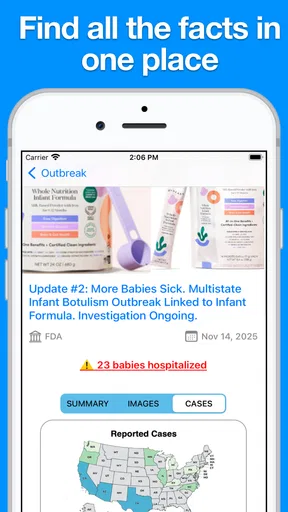
Food Recalls & Alerts is designed to help users stay informed about food safety notices, product recalls, contamination warnings, and other alerts that may affect items sold in stores or available at home. After reviewing the app, its main value is the convenience of receiving important information in one place instead of searching through multiple government or news websites. Alerts may include product names, brands, affected lot numbers, recall reasons, distribution areas, and recommended actions. The exact information available can depend on your location and the sources supported by the app.
How does Food Recalls & Alerts notify me about a recalled product?
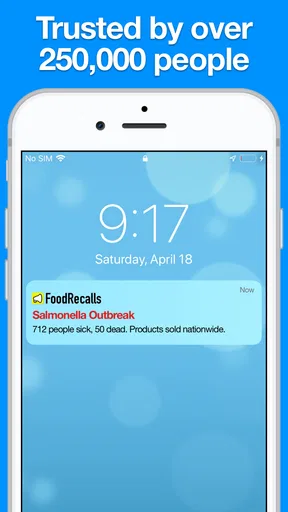
The app generally relies on notifications and regularly updated recall information to inform users about new food safety events. You may need to enable push notifications and select your country, region, or preferred alert categories during setup. Some alerts can be broad and may not mean that a product in your kitchen is definitely affected, so it is important to compare the brand, package size, lot number, expiration date, and distribution details. Notification timing can also vary depending on when official information is published and when the app updates its database.
Does Food Recalls & Alerts check the food products in my home automatically?
Food Recalls & Alerts should not be treated as an automatic inspection system unless the current version specifically provides a barcode-scanning or product-tracking feature. In most cases, users must read the recall details and compare them manually with products they own. Even when scanning is available, results may depend on accurate packaging data and the completeness of the recall database. Always follow the official instructions included in an alert, stop using a potentially affected item, and contact the manufacturer or relevant food-safety authority when clarification is needed.
Is Food Recalls & Alerts available for every country and food product?
Coverage can vary considerably by country, region, product category, and official data source. Some recalls may only apply to a specific market, while international users might see fewer alerts or information that is not relevant to their local stores. The app may also focus on packaged foods, leaving out certain restaurant notices, local-market warnings, or products recalled before the information reaches its supported sources. Before downloading, check whether your location is supported and review the app’s source list, update frequency, and regional settings.
Is Food Recalls & Alerts free, and what should I know about privacy?
The basic download may be free, but available features can differ depending on the platform, subscription model, advertising, or optional in-app purchases. Check the current App Store or Google Play listing for pricing before installing, since terms can change. For the app to provide regional alerts, it may request location access, notification permission, or account information. Review the privacy policy carefully and grant only the permissions you consider necessary. If you prefer greater privacy, you may be able to use manual browsing or limited notifications instead of continuous location-based services.


